
Parametric modeling
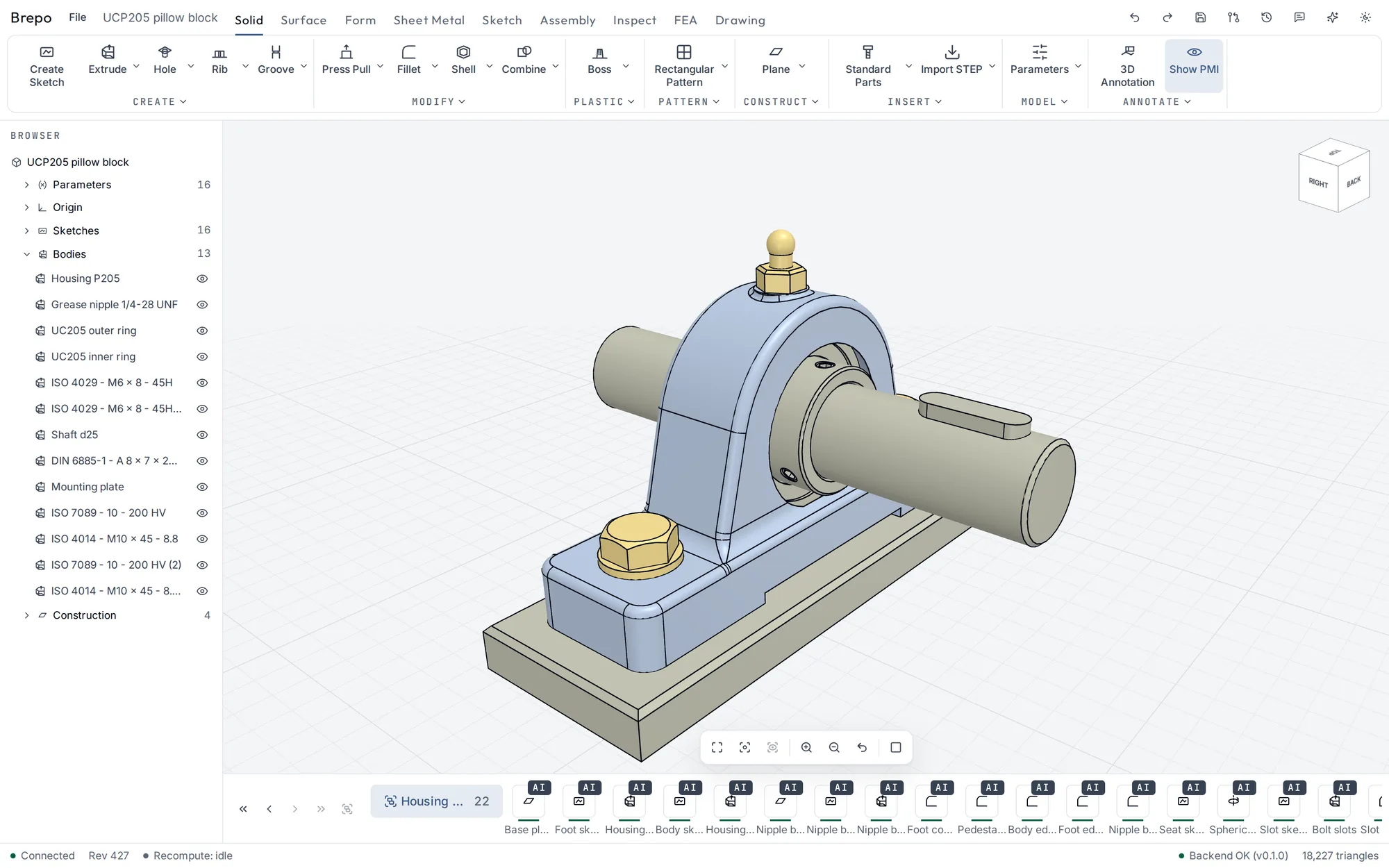
Sketches with a constraint solver and live degrees-of-freedom analysis, a feature tree with expressions and parameters, and persistent naming, so edits upstream don't break features downstream.
Free · Linux · Version 0.1.0
Brepo is a full parametric CAD application on exact B-rep geometry, with an assistant that reads your model, proposes changes on its own branch and waits for your review. You can sketch, model, assemble, simulate and draw in one app. It's free.
What's inside
Sketches with a constraint solver and live degrees-of-freedom analysis, a feature tree with expressions and parameters, and persistent naming, so edits upstream don't break features downstream.
Lofts, sweeps and fillets on exact geometry, plus subdivision Form features for freeform shapes that become real B-rep patches.
Components and joints with a 3D joint solver, motion links, cams, closed loops, contact sets and motion studies. Linked components, flexible sub-assemblies and levels of detail handle large models.
Linear static analysis of parts and assemblies with bolt preload, contact and adaptive meshing. It produces stress and displacement plots and a PDF report.
Bends with sourced K-factors, its own unfolder for flat patterns and bend lines, refolding, and DXF / SVG output for the laser.
Hidden-line views, sections, details and dimensions. GD&T frames, datums, surface texture, weld symbols, parts lists, revision tables, and ISO and ASME templates. Output as PDF, SVG or DXF, with 3D PMI in STEP AP242.
Fasteners, threads and holes (metric, unified, pipe), bearings, profiles, gears, pulleys, sprockets, springs and motors. Every table cites its source.
Exact measurements, mass properties and interference, draft and curvature analysis, plus wall thickness, overhang, undercut and clearance checks with colour maps. Plastic design rules with their formulas shown.
Named versions with geometry diffs, parameter optimisation and sweeps, sandboxed plugin features, and export of the feature tree as a runnable Python script.
The Brepo Assistant
Select a face, a sketch or a feature and ask. The assistant sees what you see: it gets the model, your selection and rendered pictures of the viewport, and edits through the same typed operations you use.
Every session works on its own branch. When it's done, you review a change set with parameter diffs and before-and-after renders, then accept or discard it. Your main design is never edited behind your back.
Download
64-bit x86 Linux. Built and tested on Ubuntu 24.04; any recent glibc-based distribution should work. Windows and macOS builds are planned.
chmod +x brepo_0.1.0_amd64.AppImage
./brepo_0.1.0_amd64.AppImagesudo apt install ./brepo_0.1.0_amd64.deb
brepoSHA-256 checksums: SHA256SUMS. Third-party notices and the source offer for the LGPL components are included in the app under File > About Brepo.
Questions
Yes. Download it and use it, including for commercial work, at no cost. If you use Claude through your own API key, Anthropic bills that usage to you directly.
No. Brepo runs locally on your machine. Your designs stay on your disk as .brepo files
unless you send them somewhere yourself.
Only when you start an assistant session, and only to the provider you picked. With a local model through Ollama or LM Studio, nothing leaves your machine.
Yes. Brepo imports STEP, IGES and DXF, and exports STEP (AP214 and AP242 with PMI), IGES, STL, 3MF, OBJ and GLB, plus PDF, SVG and DXF drawings.
Brepo itself isn't open source, but it's built on open-source components, most importantly the Open CASCADE Technology kernel (LGPL 2.1). Their licenses, notices and a source offer ship with the app.
Linux comes first. Builds for Windows and macOS are planned.